Copy text from anything on your screen
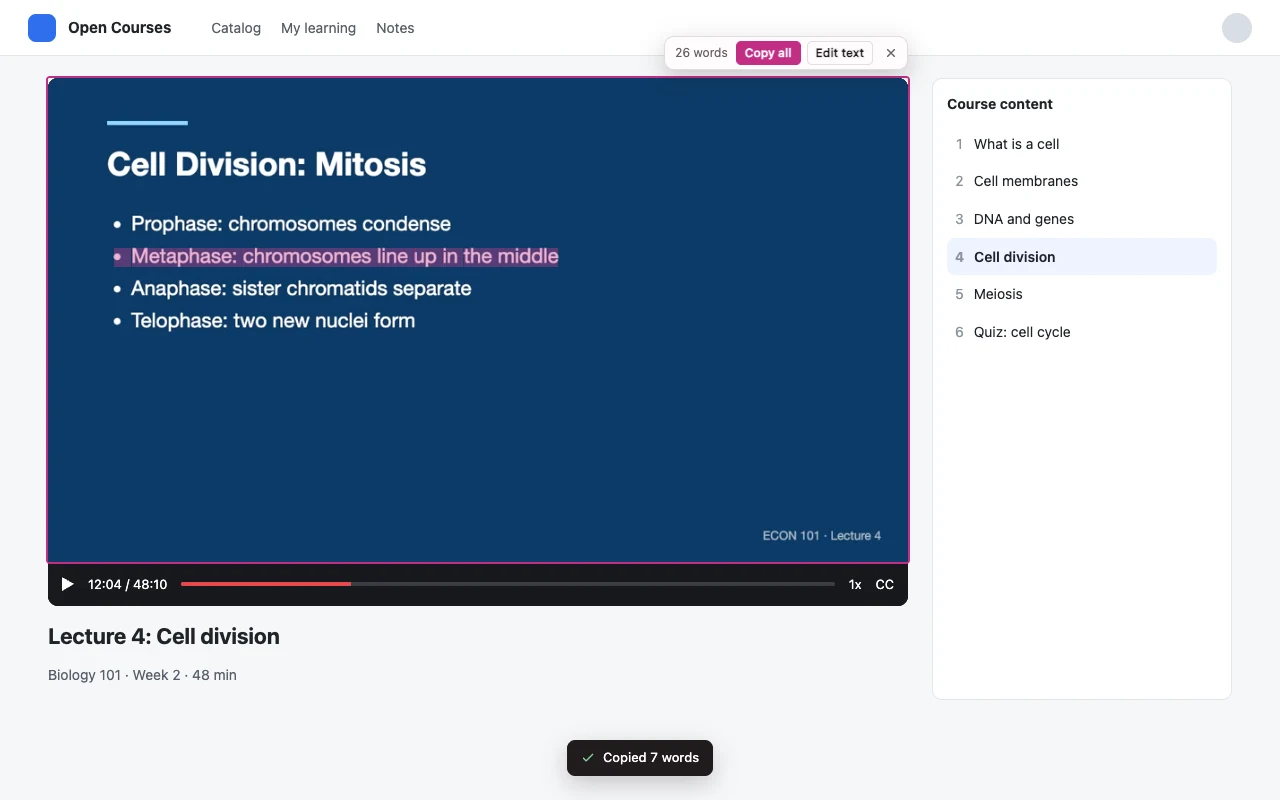
Pause a lecture, press Alt + Shift + O and click the video. The words on the slide become text you can select and copy. Pictures, scanned PDFs and screenshots work the same way, and the text is read on your computer.
Coming soon to the Chrome Web Store
How it works
-
1
Press the shortcut
Alt + Shift + O, or Option + Shift + O on a Mac. The screen freezes, so a playing video holds still.
-
2
Drag or click
Drag a box over any text, or click a picture or video to read all of it. Press Enter to read the whole screen.
-
3
Paste
The text is already on your clipboard. A small card shows it, so you can fix a word before copying again.
Made for the text you can't select
- Slides and captions in a paused lecture, webinar or tutorial
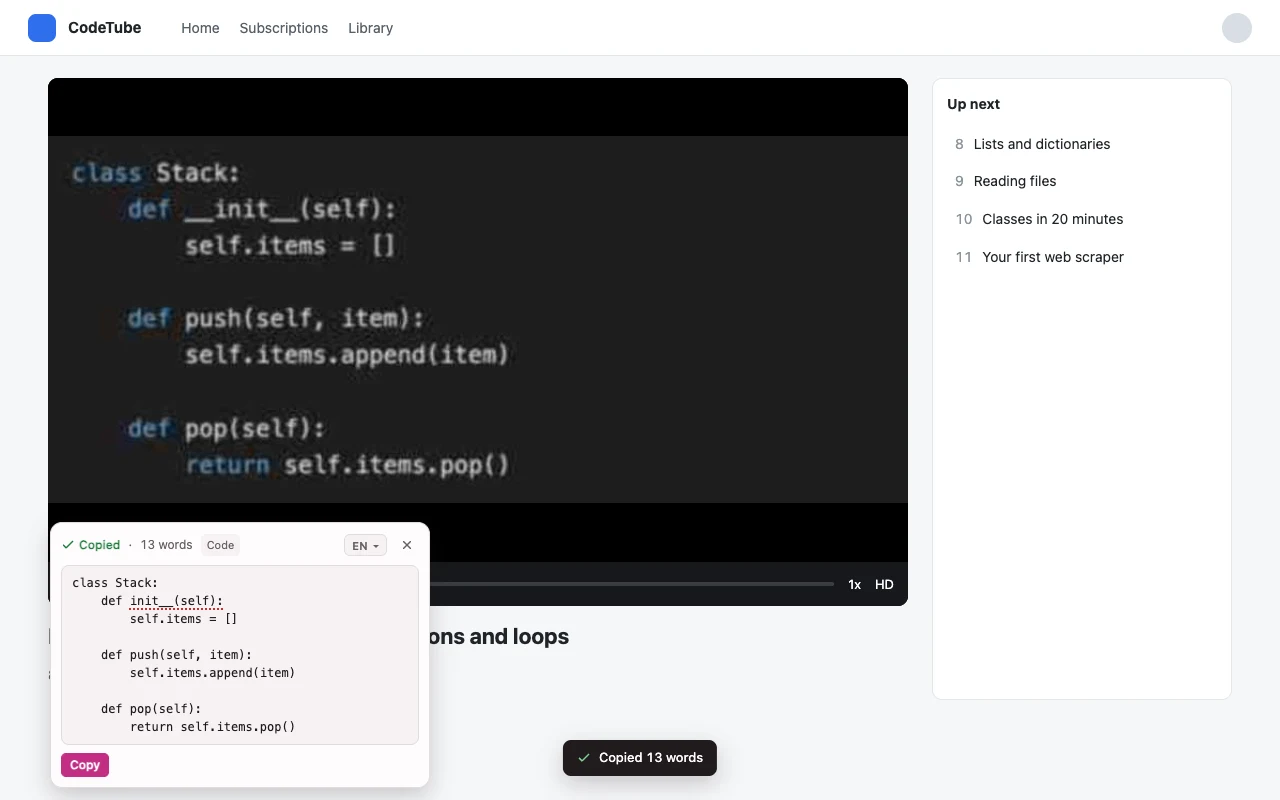
- Code from a video lesson or a screenshot, with its indentation
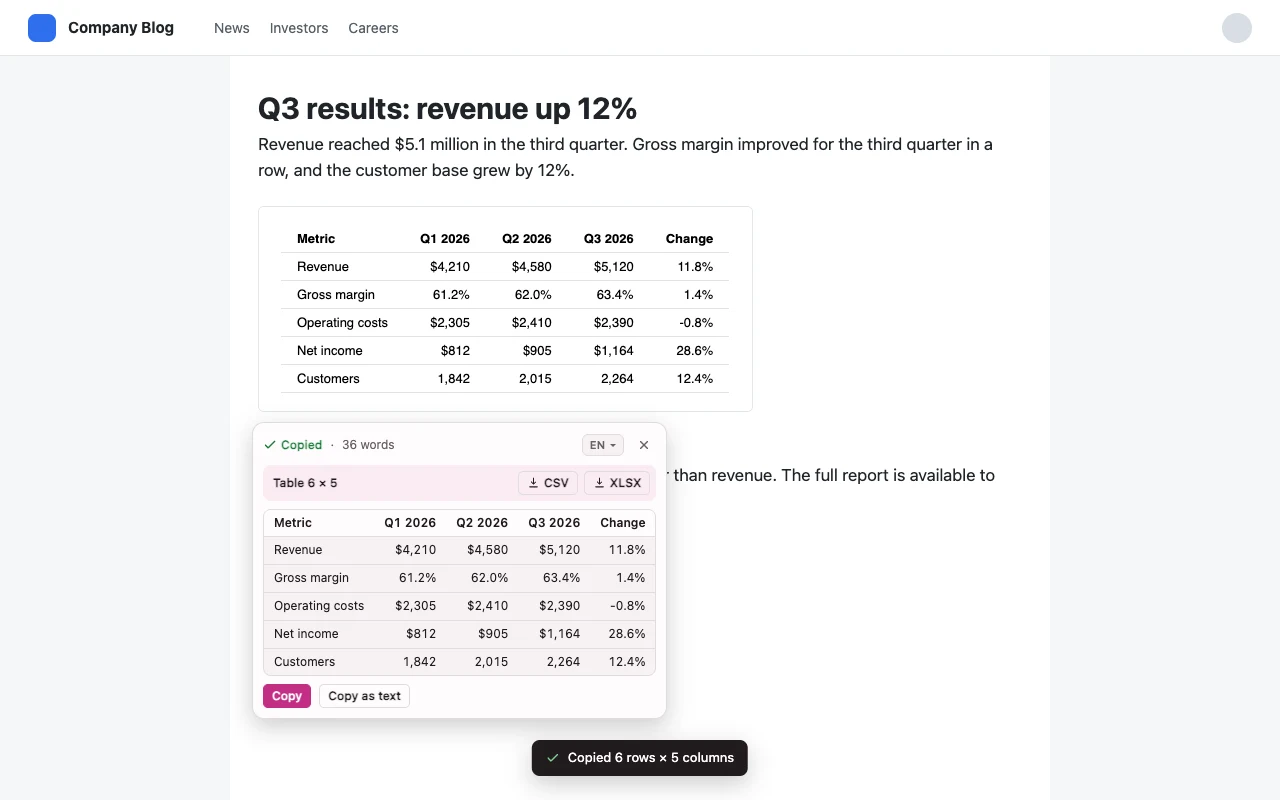
- Tables from screenshots and scans: they paste into Excel and Google Sheets by columns
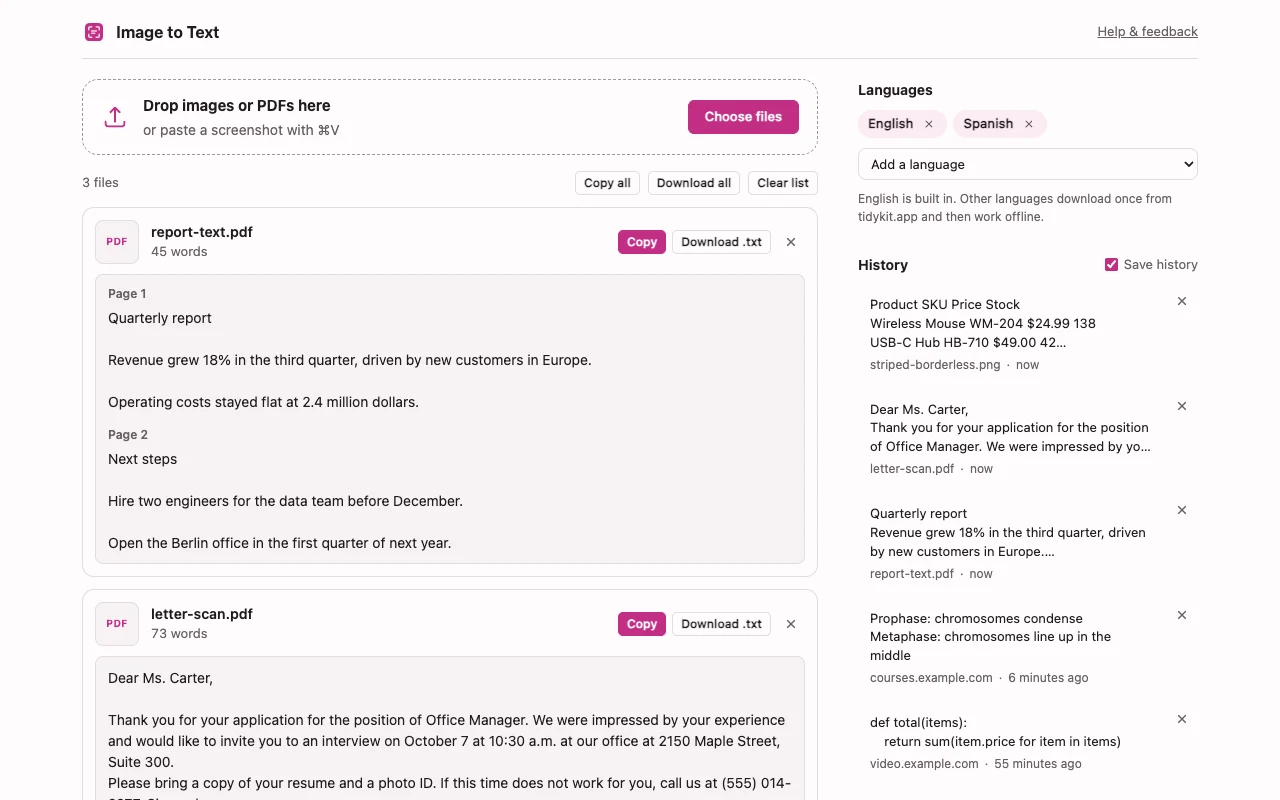
- Scanned PDFs, photos of documents and pasted screenshots, many files at once
- Text in 30 languages, including Spanish, German, Japanese, Chinese, Arabic and Russian
Tables, scans and PDFs
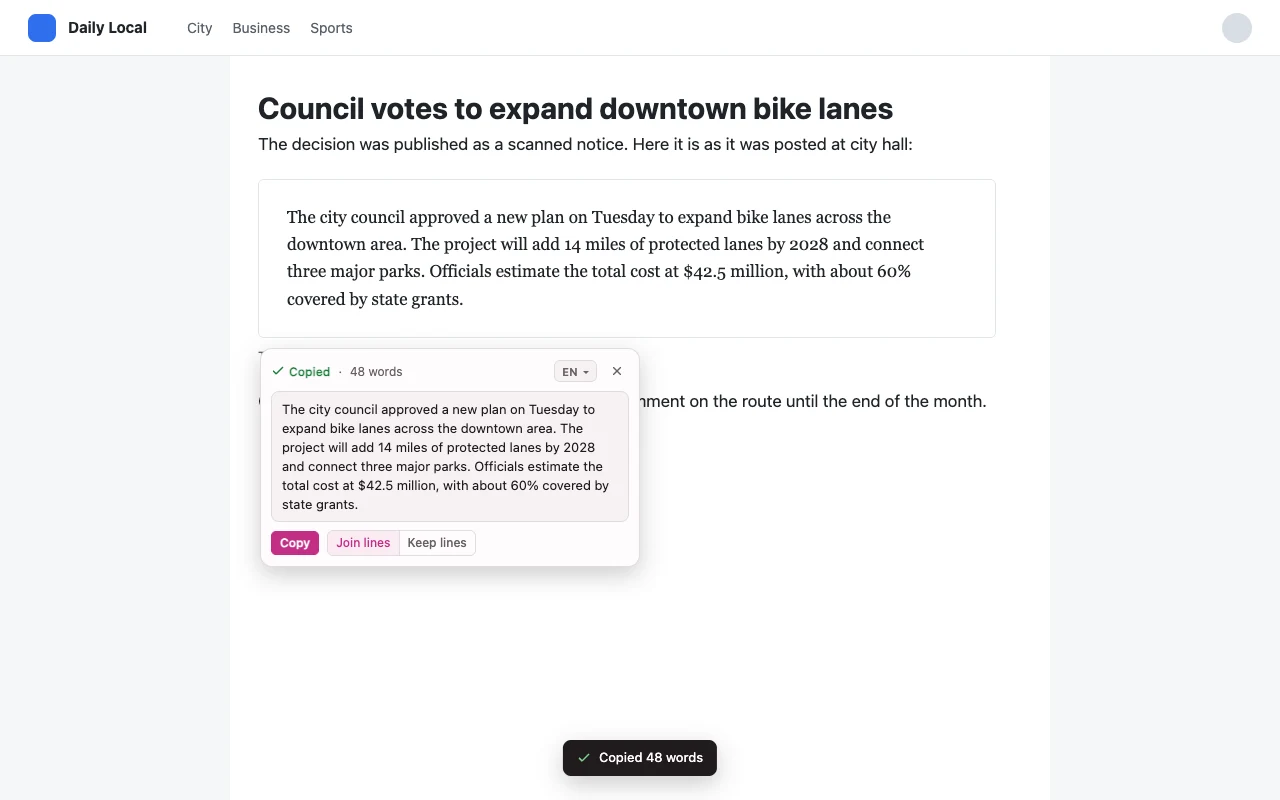
Your screen stays on your computer
Image to Text reads the screen only when you press the shortcut, click its icon or choose it in the right-click menu. Text is recognized in your browser. Images, text and history are never uploaded, and there is no account.
The only download is a language file from tidykit.app, when you add a language other than English.
Questions
Is it free?
Yes. Every feature is free in this version. If a paid plan appears later, the extension will say so before you use a paid feature.
How is it different from Google Lens?
It starts with a shortcut and reads exactly the area you drag over, so the text is on your clipboard in a second. The picture never leaves your computer. It also keeps code indentation and turns tables into columns for Excel.
Why can't it read Netflix or other streaming videos?
Protected streaming services hide video frames from screen capture, so the frame arrives black. The extension tells you when that happens. Lectures, YouTube videos and webinars work.
Which languages can it read?
English is built in. Add up to three of 29 more languages at a time, such as Spanish, French, German, Portuguese, Italian, Russian, Japanese, Chinese, Korean, Arabic and Hindi. Each language downloads once, up to 3 MB, and then works offline.
Does it work on every page?
On regular websites, yes, including full-screen video. Chrome doesn't let extensions read its own pages or the Chrome Web Store. On the built-in PDF viewer, the extension opens the screenshot in its own window, where you can drag over it the same way.
Why does it ask for these permissions?
activeTab and scripting let it capture and read the tab you use it on, only after you press the shortcut or click. offscreen runs the text reader and the clipboard in the background. contextMenus adds the right-click items. storage keeps your history, settings and language choice on your computer. It can't see your other tabs or your browsing history.
The text came out wrong. What should I do?
Check the underlined words first. If a whole area is wrong, email support@tidykit.app with a description of the page. Please don't attach private images.